

Introduction
Tally Prime mein Voucher ka use Business ke Financial Transactions ko Record karne ke liye kiya jata hai.
Business mein daily bahut tarah ke transactions hote hain, jaise:
- Cash receive karna
- Cash payment karna
- Bank se payment karna
- Customer se Amount Receive karna
- Supplier ko Payment karna
- Goods purchase karna
- Goods sell karna
- Journal adjustment karna
- Debit Note aur Credit Note banana
In Transactions ko Tally Prime mein Record karne ke liye different types ke Vouchers use kiye jate hain.
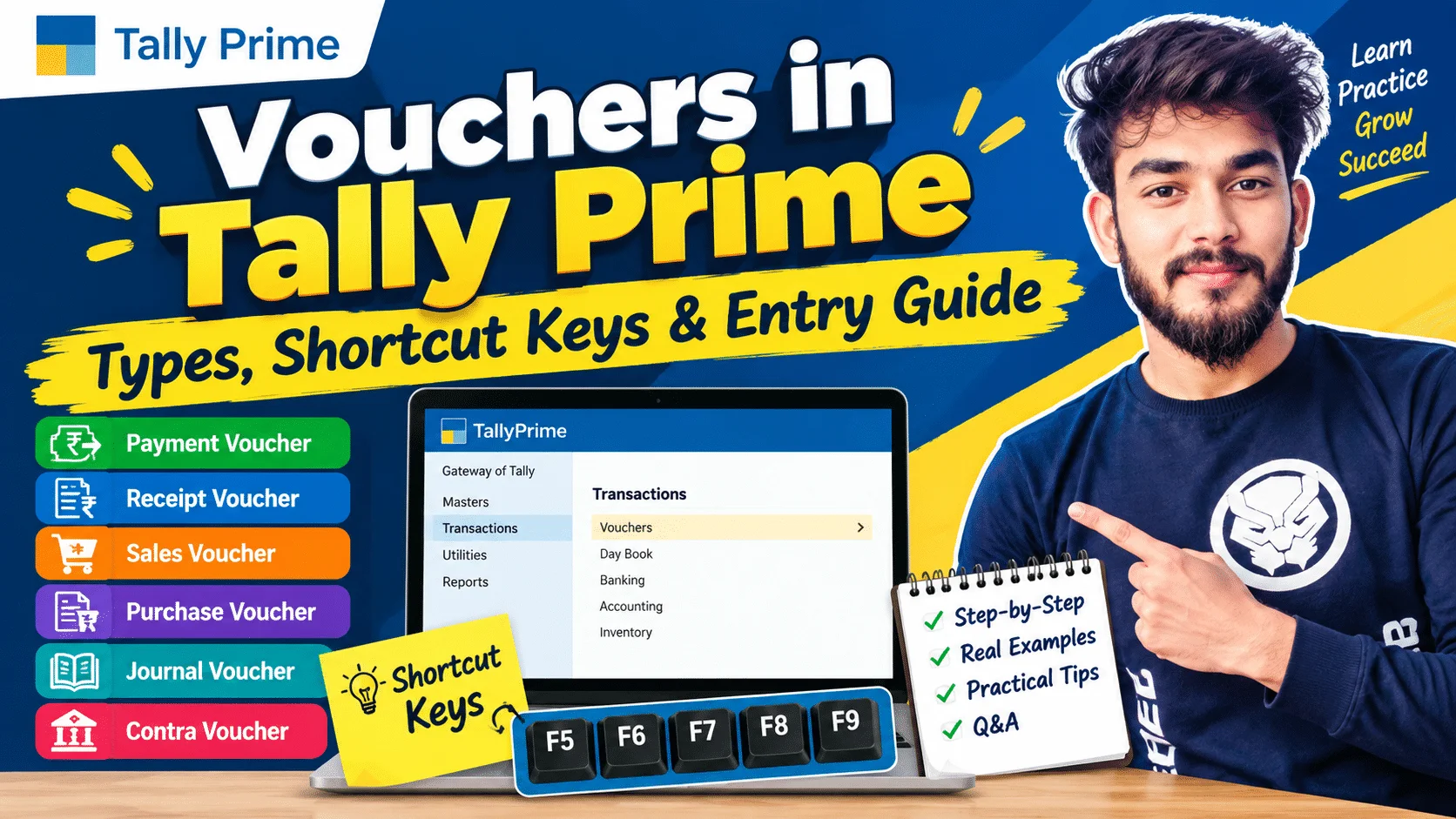
Is Article mein hum simple language mein samjhenge ki Voucher kya hota hai, Tally Prime mein Voucher ke types kya hain, kaunsa Voucher kab use karna hai, important shortcut keys kya hain,n aur practical examples ke saath entries kaise record karte hain.
Voucher Kya Hota Hai?
Voucher ek Accounting Document/entry type hai jiska use business transaction ko Tally Prime mein Record karne ke liye kiya jata hai.
Simple words mein:
Business mein jo Transaction hota hai, usko Tally Prime mein record karne ke liye appropriate Voucher use kiya jata hai.
Example
Business ne office rent ₹20,000 cash mein pay kiya.
Is transaction ko record karne ke liye:
Payment Voucher use kiya jayega.
Tally Prime Mein Voucher Ki Importance
Voucher Accounting ka basic part hai.
Voucher ki help se:
- Business transactions record hote hain.
- Cash aur bank transactions maintain hote hain.
- Sales aur purchase record hote hain.
- Customer aur supplier transactions maintain hote hain.
- GST-related transactions record kiye ja sakte hain.
- Journal adjustments record kiye ja sakte hain.
- Financial reports prepare karne mein help milti hai.
Tally Prime Mein Main Voucher Types
Tally Prime mein commonly used accounting vouchers hain:
- Contra Voucher
- Payment Voucher
- Receipt Voucher
- Journal Voucher
- Sales Voucher
- Purchase Voucher
- Credit Note
- Debit Note
Iske alawa Tally Prime mein inventory aur order-related voucher types bhi available hote hain, jo business ki requirement ke according use kiye ja sakte hain.
Contra Voucher
Contra Voucher ka use mainly Cash aur Bank ke beech ya Cash/Bank ke internal transfer ko record karne ke liye hota hai.
Shortcut Key
F4
Example 1 – Cash Deposit into Bank
Business ne Cash ₹50,000 bank mein deposit kiya.
Entry:
Bank A/c       Dr. ₹50,000
      To Cash A/c       ₹50,000
Yahan:
Debit: Bank
Credit: Cash

Example 2 – Cash Withdrawal from Bank
Business ne SBI Bank se ₹20,000 cash withdraw kiya.
Entry:
Cash A/c       Dr. ₹20,000
      To SBI Bank A/c       ₹20,000

Contra Voucher Kab Use Karein?
- Cash to Bank
- Bank to Cash
- Bank to Bank transfer
- Cash/Bank ke internal transfer
Note: Kisi customer ko payment ya supplier ko payment karne ke liye Contra Voucher use nahi karna chahiye. Uske liye appropriate Payment/Receipt Voucher use karein.
Payment Voucher
Payment Voucher ka use jab Business kisi person, supplier ya expense ke liye Payment karta hai, tab kiya jata hai.
Shortcut Key
F5
Example – Office Rent Payment
Business ne office rent ₹20,000 cash mein pay kiya.
Entry:
Office Rent A/c       Dr. ₹20,000
      To Cash A/c              ₹20,000
Tally Prime Entry
F5 – Payment
Particulars:
Office Rent → ₹20,000
Credit:
Cash → ₹20,000

Supplier Payment Example
Business ne Arman Trader ko ₹30,000 bank se payment kiya.
Entry:
Arman Trader  A/c       Dr. ₹30,000
      To Bank A/c                ₹30,000
Yahan:
Debit: Arman Trader
Credit: Bank
Is transaction ke liye Payment Voucher use kiya jayega.

Receipt Voucher
Receipt Voucher ka use jab business ko cash ya bank mein money receive hoti hai, tab kiya jata hai.
Shortcut Key
F6
Example – Customer Payment Received
Arman Traders se ₹25,000 bank mein receive hue.
Entry:
Bank A/c             Dr. ₹25,000
      To Arman Traders A/c       ₹25,000
Tally Prime Entry
F6 – Receipt
Debit:
Bank → ₹25,000
Credit:
Armanl Traders → ₹25,000

Other Income Receipt Example
Business ko commission ₹5,000 receive hua.
Agar amount bank mein receive hua:
Bank A/c              Dr. ₹5,000
      To Commission Received A/c    ₹5,000
Iske liye Receipt Voucher use kiya ja sakta hai.
Journal Voucher
Journal Voucher ka use mainly Adjustment aur Accounting Entries ke liye hota hai, jahan Direct Cash/bank movement nahi hota ya Journal adjustment required hota hai.
Shortcut Key
F7
Example – Depreciation
Computer par ₹10,000 depreciation record karna hai.
Entry:
Depreciation A/c       Dr. ₹10,000
      To Accumulated Depreciation / Asset A/c     ₹10,000
Actual accounting treatment business ki accounting policy ke according maintain kiya jana chahiye.
Journal Voucher Ke Common Uses
- Depreciation
- Outstanding expenses
- Prepaid expenses
- Accrued income
- Provision entries
- Adjustment entries
- Rectification entries
Sales Voucher
Sales Voucher ka use goods ya services ki sales record karne ke liye hota hai.
Shortcut Key
F8
Example – Credit Sale
Business ne Arman Traders ko ₹10,000 ke Goods credit par sell kiye.
Basic accounting effect:
Arman Traders A/c      Dr. ₹10,000
      To Sales A/c             ₹10,000
Agar GST applicable hai, to GST amount bhi applicable tax configuration ke according record hoga.
GST Example
Goods Value = ₹10,000
CGST @ 9% = ₹900
SGST @ 9% = ₹900
Total Invoice = ₹11,800
Basic accounting effect:
Arman Traders A/c       Dr. ₹11,800
      To Sales A/c              ₹10,000
      To Output CGST A/c           ₹900
      To Output SGST A/c           ₹900
Cash Sales Example
Business ne goods ₹5,000 ke cash mein sell kiye.
Basic entry:
Cash A/c        Dr. ₹5,000
      To Sales A/c        ₹5,000
GST applicable hone par relevant tax amount bhi transaction mein include hoga.
Purchase Voucher
Purchase Voucher ka use goods ya services ki purchase record karne ke liye kiya jata hai.
Shortcut Key
F9
Example – Credit Purchase
Business ne ABC Suppliers se ₹10,000 ke goods purchase kiye.
Basic entry:
Purchase A/c           Dr. ₹10,000
      To ABC Suppliers A/c       ₹10,000
GST applicable hone par Input GST ledgers bhi use honge.
GST Purchase Example
Purchase Value = ₹10,000
CGST @ 9% = ₹900
SGST @ 9% = ₹900
Total Invoice Value = ₹11,800
Basic accounting effect:
Purchase A/c           Dr. ₹10,000
Input CGST A/c         Dr. ₹900
Input SGST A/c         Dr. ₹900
      To ABC Suppliers A/c      ₹11,800

Tally Prime Particulars
Agar Item Invoice mode use kar rahe hain, to Particulars mein applicable Stock Item select kiya ja sakta hai.
Agar Accounting Invoice mode use kar rahe hain, to applicable Purchase Ledger select kiya ja sakta hai.
GST calculation business ke configured tax details ke according hogi.
Credit Note
Credit Note ka use generally Sales Return ya Customer ke Account mein Reduction/credit Adjustment ke liye kiya jata hai.
Shortcut Key
Ctrl + F8
Example – Sales Return
Business ne Arman Traders ko ₹5,000 ka Goods sell kiya tha.
Customer ne ₹1,000 ka goods return kar diya.
Appropriate Credit Note transaction ke through sales return record kiya ja sakta hai.
Basic accounting effect:
Sales Return A/c       Dr. ₹1,000
      To  Arman Traders A/c      ₹1,000
GST applicable hone par corresponding tax adjustment bhi applicable rules aur configuration ke according record kiya jata hai.
Debit Note
Debit Note ka use generally purchase return ya supplier ke account mein debit adjustment ke liye kiya jata hai.
Shortcut Key
Ctrl + F9
Example – Purchase Return
Business ne ABC Suppliers se goods purchase kiye the.
₹2,000 ke goods supplier ko return kar diye.
Basic accounting effect:
ABC Suppliers A/c       Dr. ₹2,000
      To Purchase Return A/c     ₹2,000
GST applicable hone par corresponding tax adjustment applicable rules ke according record kiya jata hai.
Purchase Return Aur Sales Return
Simple way mein yaad rakhein:
Sales Return
Customer se goods wapas aaye
→ Credit Note
Purchase Return
Supplier ko goods wapas bheje
→ Debit Note
Voucher Selection Ka Easy Formula
| Transaction | Voucher |
|---|---|
| Cash → Bank | Contra |
| Bank → Cash | Contra |
| Expense Payment | Payment |
| Supplier Payment | Payment |
| Customer se Money Receive | Receipt |
| Other Income Receive | Receipt |
| Adjustment Entry | Journal |
| Goods/Services Sale | Sales |
| Goods/Services Purchase | Purchase |
| Sales Return | Credit Note |
| Purchase Return | Debit Note |
Tally Prime Voucher Shortcut Keys
Common voucher shortcuts:
| Voucher | Shortcut |
|---|---|
| Contra | F4 |
| Payment | F5 |
| Receipt | F6 |
| Journal | F7 |
| Sales | F8 |
| Purchase | F9 |
| Credit Note | Ctrl + F8 |
| Debit Note | Ctrl + F9 |
Shortcut availability/behavior Current Tally Prime version aur screen context ke according check ki ja sakti hai.
Voucher Entry Ka General Process
Tally Prime mein Voucher entry karne ka basic process:
Gateway of Tally → Vouchers
Ab required voucher select karein.
Example:
Payment ke liye:
F5
Receipt ke liye:
F6
Purchase ke liye:
F9
Sales ke liye:
F8
Uske baad:
- Date check karein.
- Party/Ledger select karein.
- Particulars enter karein.
- Amount enter karein.
- GST details, where applicable, check karein.
- Narration enter karein.
- Entry verify karein.
- Voucher save karein.
Voucher Date
Voucher entry karte waqt Date bahut important hoti hai.
Example:
Agar Rent payment 5 September ko hua hai, to Voucher ki Date Actual Transaction Date ke according enter karni chahiye.
Wrong date se reports aur Period-wise Accounting affected ho sakti hai.
Voucher Number
Tally Prime mein vouchers ki numbering settings business requirement ke according configure ki ja sakti hain.
Example:
Payment Voucher:
- Payment No. 1
- Payment No. 2
- Payment No. 3
Voucher numbering ko regularly check karna useful hai.
Narration Kya Hota Hai?
Narration Mein Transaction ke baare mein Short Description likhi jati hai.
Example:
Payment ₹20,000:
Narration:
“Office rent paid for September.”
Customer receipt:
Narration:
“Amount received from Rahul Traders against outstanding invoice.”
Narration future reference ke liye useful hoti hai.
Practical Example – Payment Voucher
Transaction
Office rent ₹20,000 cash mein pay kiya.
Voucher
Payment – F5
Entry
Office Rent A/c       Dr. ₹20,000
      To Cash A/c              ₹20,000
Narration
Being office rent paid in cash.

Practical Example – Receipt Voucher
Transaction
Rahul Traders se ₹25,000 receive hue.
Voucher
Receipt – F6
Entry
Cash/Bank A/c          Dr. ₹25,000
      To Rahul Traders A/c      ₹25,000
Narration
Being amount received from Rahul Traders.
Practical Example – Contra Voucher
Transaction
Cash ₹50,000 bank mein deposit kiya.
Voucher
Contra – F4
Entry
Bank A/c       Dr. ₹50,000
      To Cash A/c       ₹50,000
Narration
Being cash deposited into the bank.
Practical Example – Sales Voucher
Transaction
Rahul Traders ko ₹10,000 goods credit par sell kiye.
Voucher
Sales – F8
Basic Entry
Rahul Traders A/c      Dr. ₹10,000
      To Sales A/c             ₹10,000
GST applicable hone par tax ledgers/configuration ke according GST amount add hoga.
Practical Example – Purchase Voucher
Transaction
ABC Suppliers se ₹10,000 goods credit par purchase kiye.
Voucher
Purchase – F9
Basic Entry
Purchase A/c           Dr. ₹10,000
      To ABC Suppliers A/c      ₹10,000
GST applicable hone par Input GST amount bhi applicable configuration ke according record hoga.
Voucher Entry Mein Common Mistakes
Beginners voucher entry karte waqt kuch common mistakes kar sakte hain.
1. Wrong Voucher Select Karna
Supplier ko payment karte waqt Receipt Voucher use kar dena.
2. Wrong Ledger Select Karna
Customer ki jagah kisi doosre customer ka ledger select karna.
3. Wrong Amount
Invoice amount galat enter karna.
4. Wrong Date
Transaction date ke badle wrong date enter karna.
5. GST Details Check Na Karna
GST transaction mein applicable tax details verify na karna.
6. Narration Skip Karna
Important transactions mein proper narration na likhna.
7. Cash/Bank Confusion
Cash payment aur bank payment mein wrong ledger select karna.
Voucher Entry Se Pehle Kya Check Karein?
Voucher save karne se pehle check karein:
- Date correct hai?
- Voucher type correct hai?
- Party correct hai?
- Ledger correct hai?
- Amount correct hai?
- GST applicable hai?
- Tax details correct hain?
- Narration clear hai?
- Debit/Credit effect correct hai?
Voucher Aur Ledger Ka Relationship
Voucher aur Ledger ek-doosre se connected hain.
Ledger account maintain karta hai.
Voucher transaction record karta hai.
Example:
Arman Traders ek Ledger hai.
Jab Arman Traders se payment receive hoti hai:
Receipt Voucher use hoga.
Jab Arman Traders ko credit sale hoti hai:
Sales Voucher use hoga.
Isliye:
Voucher transaction record karta hai, Ledger us transaction ko account-wise maintain karta hai.
Voucher Aur Group Ka Relationship
Tally Prime mein:
Group → Ledger → Voucher Entry
Example:
Sundry Debtors
→ Rahul Traders
→ Sales Voucher
→ Receipt Voucher
Similarly:
Sundry Creditors
→ ABC Suppliers
→ Purchase Voucher
→ Payment Voucher
Ye relationship Tally Prime accounting ko samajhne ke liye important hai.
Daily Business Transactions – Voucher Examples
Maan lijiye ek business mein ek din mein ye transactions hue:
Transaction 1
Cash ₹50,000 bank mein deposit.
Voucher: Contra
Transaction 2
Office rent ₹20,000 paid.
Voucher: Payment
Transaction 3
Customer se ₹ 30,000 received.
Voucher: Receipt
Transaction 4
Goods ₹15,000 ke purchase kiye.
Voucher: Purchase
Transaction 5
Goods ₹25,000 ke sell kiye.
Voucher: Sales
Transaction 6
Customer ne ₹2,000 ka goods return kiya.
Voucher: Credit Note
Transaction 7
Supplier ko ₹3,000 ka goods return kiya.
Voucher: Debit Note
Is example se samajh sakte hain ki transaction ke nature ke according appropriate voucher select kiya jata hai.
Accounting Voucher Aur Inventory Voucher
Tally Prime mein accounting ke saath inventory management ke liye bhi different voucher types available hote hain.
Inventory-related examples:
- Delivery Note
- Receipt Note
- Stock Journal
- Physical Stock
- Rejections In
- Rejections Out
Inka use business ki inventory requirements ke according hota hai.
Delivery Note
Delivery Note ka use goods customer ko deliver karne ke record ke liye kiya ja sakta hai, especially jab business workflow mein delivery documentation required ho.
Ye sales invoice se alag inventory/documentation purpose serve kar sakta hai.
Receipt Note
Receipt Note ka use purchased goods ke receipt ko record karne ke liye kiya ja sakta hai, especially inventory workflow mein.
Example:
Supplier ne 100 units goods deliver kiye.
Goods receive hone ka record Receipt Note ke through maintain kiya ja sakta hai.
Stock Journal
Stock Journal ka use stock transfer ya inventory adjustment ke liye kiya ja sakta hai.
Example:
Warehouse A se Warehouse B mein:
50 units
transfer kiye.
Stock Journal ke through inventory movement record kiya ja sakta hai.
Physical Stock
Physical Stock Voucher ka use actual physical stock aur books mein recorded stock ke difference ko record karne ke liye kiya ja sakta hai.
Example:
Books mein:
100 units
Actual physical counting:
98 units
Difference ko appropriate inventory process ke according record kiya ja sakta hai.
Rejections In
Rejections In ka use generally customer-returned goods ko inventory workflow mein record karne ke liye kiya ja sakta hai.
Example:
Customer ne defective goods return kiye.
Inventory workflow mein Rejections In ka use situation ke according kiya ja sakta hai.
Rejections Out
Rejections Out ka use supplier ko returned goods ke inventory movement ko record karne ke liye kiya ja sakta hai.
Example:
Supplier ko defective goods return kiye.
Inventory workflow mein Rejections Out use kiya ja sakta hai.
Voucher Entry Ke Important Tips
- Transaction ka nature pehle samjhein.
- Uske baad voucher type select karein.
- Correct date enter karein.
- Correct ledger/party select karein.
- GST transaction mein tax details verify karein.
- Inventory transaction mein quantity aur rate carefully check karein.
- Narration useful rakhein.
- Save karne se pehle complete voucher verify karein.
Frequently Asked Questions (Q&A)
Tally Prime mein Voucher kya hota hai?
Voucher business transaction ko Tally Prime mein record karne ka method/document type hai.
Payment Voucher ka shortcut kya hai?
F5
Receipt Voucher ka shortcut kya hai?
F6
Contra Voucher ka shortcut kya hai?
F4
Journal Voucher ka shortcut kya hai?
F7
Sales Voucher ka shortcut kya hai?
F8
Purchase Voucher ka shortcut kya hai?
F9
Credit Note ka shortcut kya hai?
Ctrl + F8
Debit Note ka shortcut kya hai?
Ctrl + F9
Cash ko bank mein deposit karne ke liye kaunsa Voucher use hota hai?
Contra Voucher
Customer se payment receive hone par kaunsa Voucher use hota hai?
Receipt Voucher
Supplier ko payment karne par kaunsa Voucher use hota hai?
Payment Voucher
Goods purchase karne ke liye kaunsa Voucher use hota hai?
Purchase Voucher
Goods sell karne ke liye kaunsa Voucher use hota hai?
Sales Voucher
Sales Return ke liye kaunsa Voucher use hota hai?
Generally,y Credit Note.
Purchase Return ke liye kaunsa Voucher use hota hai generally
Generally, Debit Note.
Depreciation entry ke liye kaunsa Voucher use kiya ja sakta hai?
Generally, Journal Voucher.
Voucher aur Ledger mein kya difference hai?
Voucher transaction record karta hai, jabki Ledger account-wise transactions maintain karta hai.
Quick Revision Table
| Transaction | Voucher | Shortcut |
|---|---|---|
| Cash to Bank | Contra | F4 |
| Bank to Cash | Contra | F4 |
| Expense Payment | Payment | F5 |
| Supplier Payment | Payment | F5 |
| Customer Receipt | Receipt | F6 |
| Other Income Receipt | Receipt | F6 |
| Adjustment | Journal | F7 |
| Sales | Sales | F8 |
| Purchase | Purchase | F9 |
| Sales Return | Credit Note | Ctrl + F8 |
| Purchase Return | Debit Note | Ctrl + F9 |
Conclusion
Tally Prime mein Voucher ka use business ke different financial aur inventory transactions ko record karne ke liye kiya jata hai.
Sabse pehle transaction ko identify karein aur phir appropriate Voucher select karein.
Simple way mein yaad rakhein:
F4 → Contra
F5 → Payment
F6 → Receipt
F7 → Journal
F8 → Sales
F9 → Purchase
Ctrl + F8 → Credit Note
Ctrl + F9 → Debit Note
Agar aap Tally Prime beginner hain, to pehle Contra, Payment, Receipt, Journal, Sales aur Purchase vouchers par practice karein: Uske baad Credit Note, Debit Note aur Inventory Vouchers ko practical examples ke saath samjhein.
Regular practice se Voucher selection aur entry process ko easily samjha ja sakta hai.
Educational Disclaimer
Yeh Article Educational purpose ke liye hai. Actual accounting, GST treatment, aur voucher configuration business circumstances, accounting policy, aur applicable rules ke hisaab se alag ho sakti hai. Tax/compliance related transactions ke liye applicable rules aur official sources ko verify karein.
Tally Courses Basics
Company Creation Practical Steps
Understanding Tally Prime Interface


